
Any video.
Every recipe.
Paste a link or upload a clip, AI extracts every ingredient and step instantly from any recipe video.
From scroll to skillet.

Find a recipe video
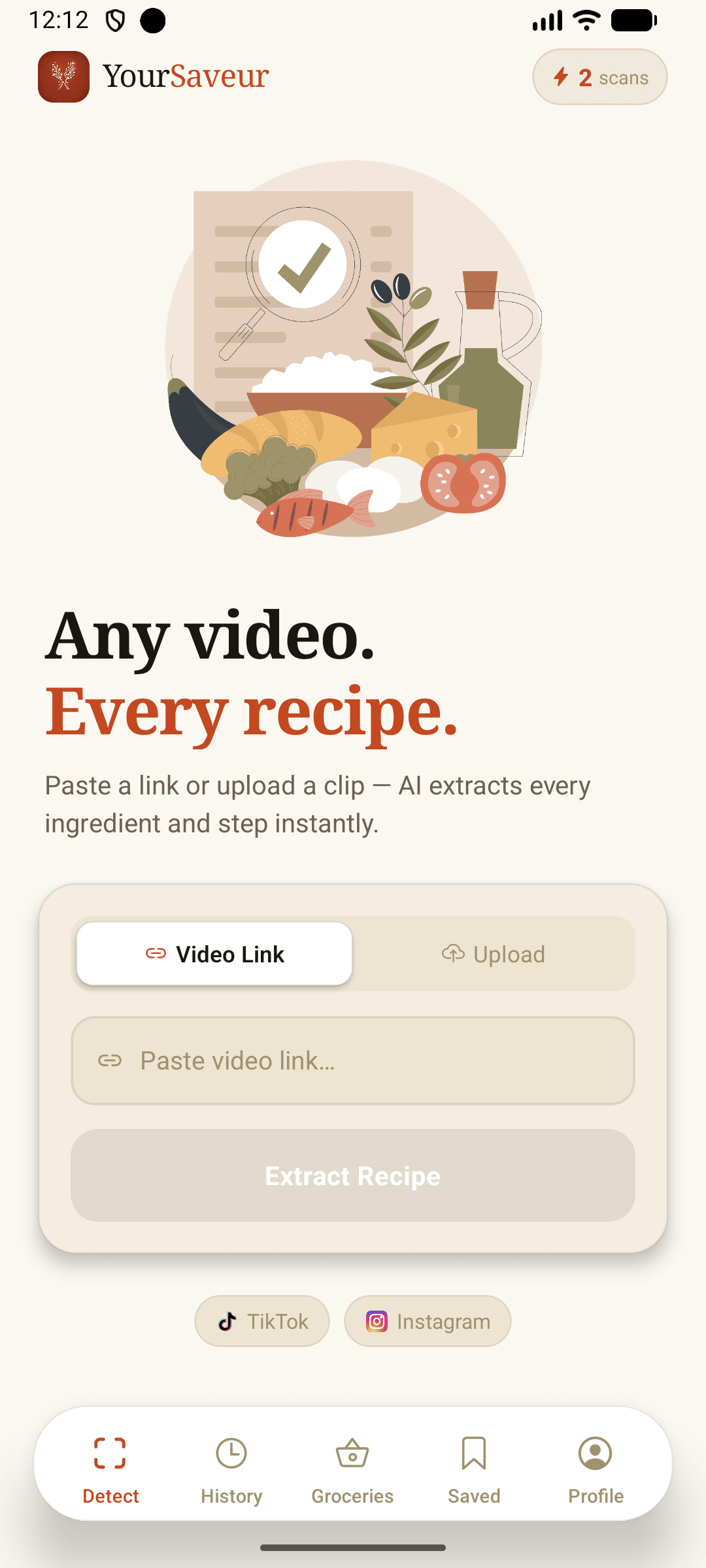
Spotted something delicious on TikTok or Instagram? Copy the link. That's it.

Paste the link into YourSaveur
Drop the URL into the app. YourSaveur's AI reads the video and pulls out the full recipe automatically.

Make it yours
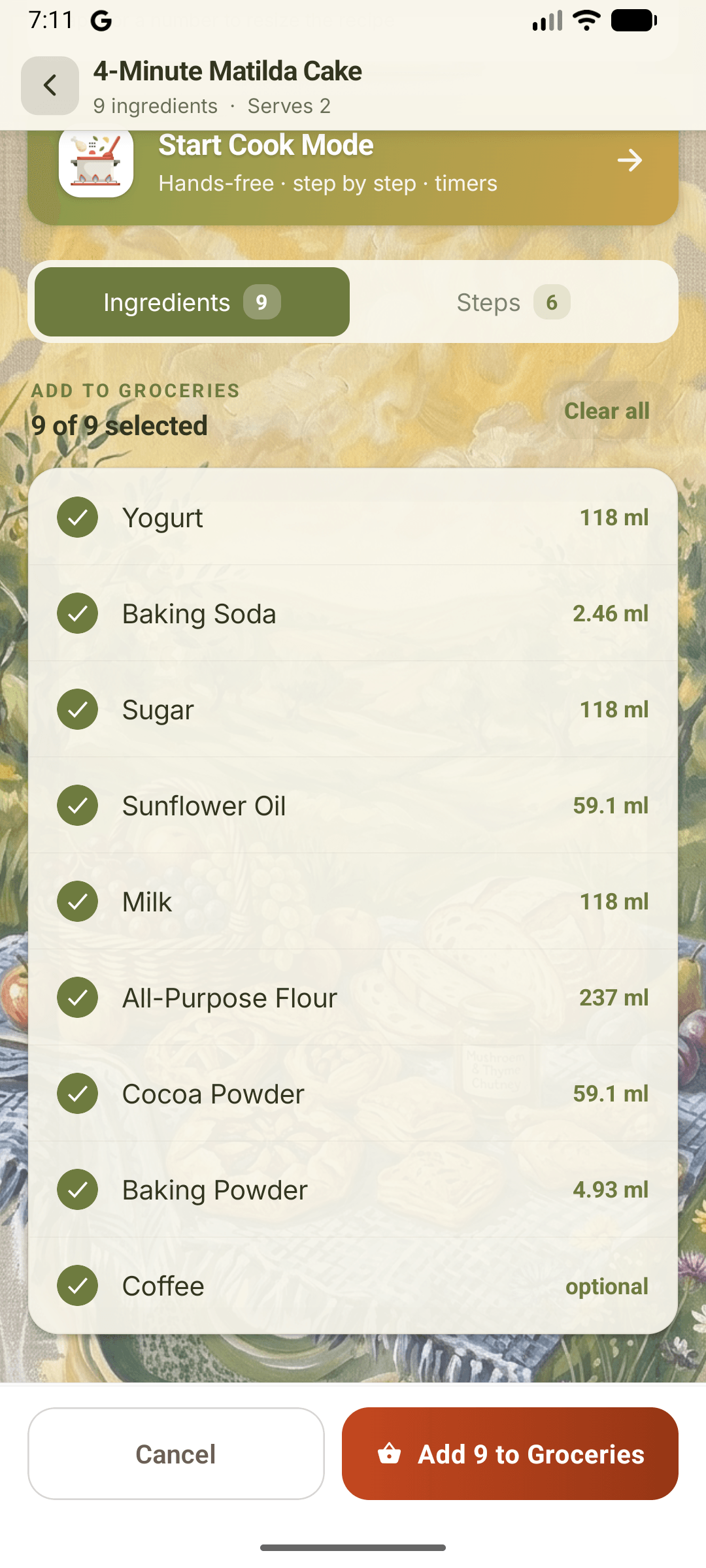
Resize the servings, dress it in a wallpaper theme, send the ingredients to Groceries. The recipe adapts before the stove is even on.

Cook it hands-free
Start Cook Mode: every step read aloud, timers built in, pages that turn themselves. No ads, no autoplay, no greasy screen taps.


Find a recipe video
Spotted something delicious on TikTok or Instagram? Copy the link. That's it.
Paste the link into YourSaveur
Drop the URL into the app. YourSaveur's AI reads the video and pulls out the full recipe automatically.
Make it yours
Resize the servings, dress it in a wallpaper theme, send the ingredients to Groceries. The recipe adapts before the stove is even on.
Cook it hands-free
Start Cook Mode: every step read aloud, timers built in, pages that turn themselves. No ads, no autoplay, no greasy screen taps.
Built for the way you cook.
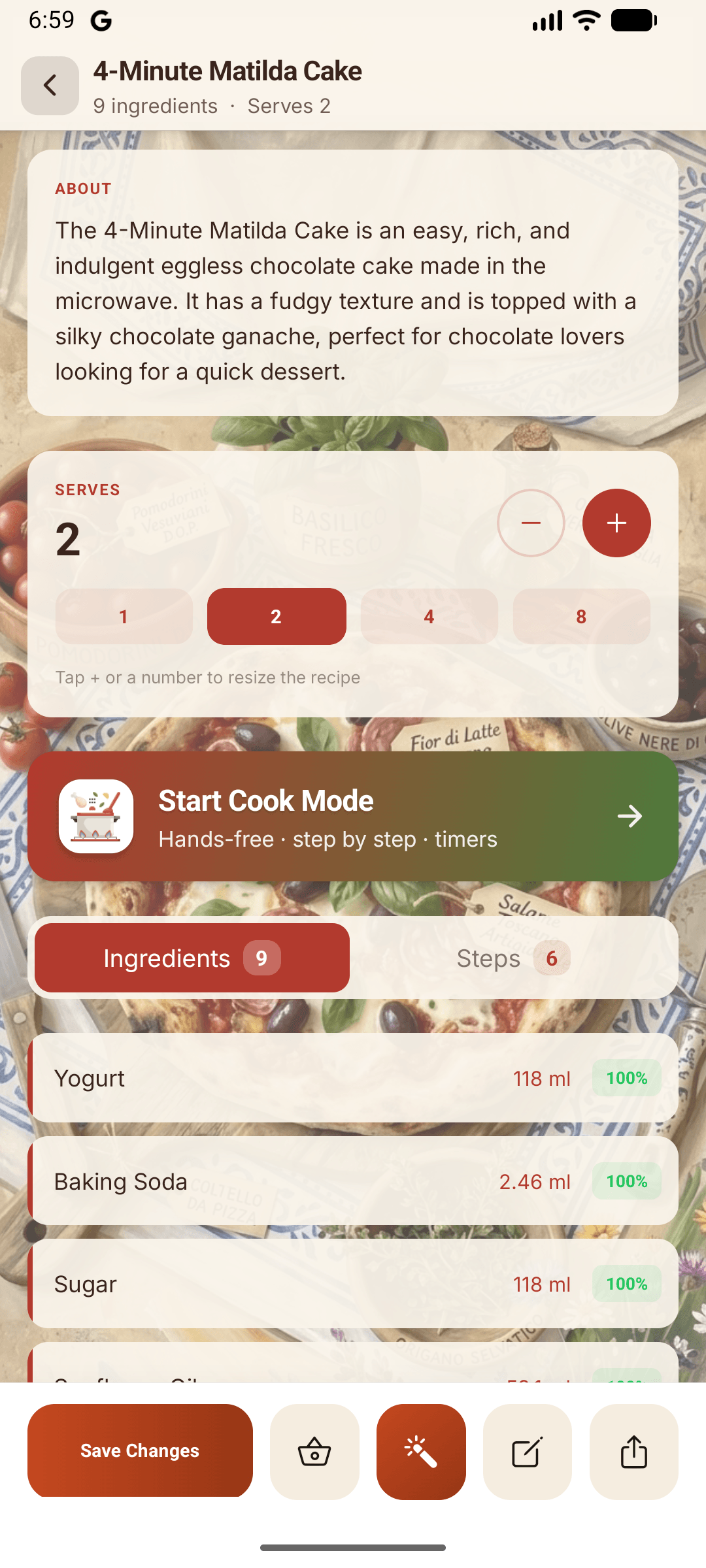
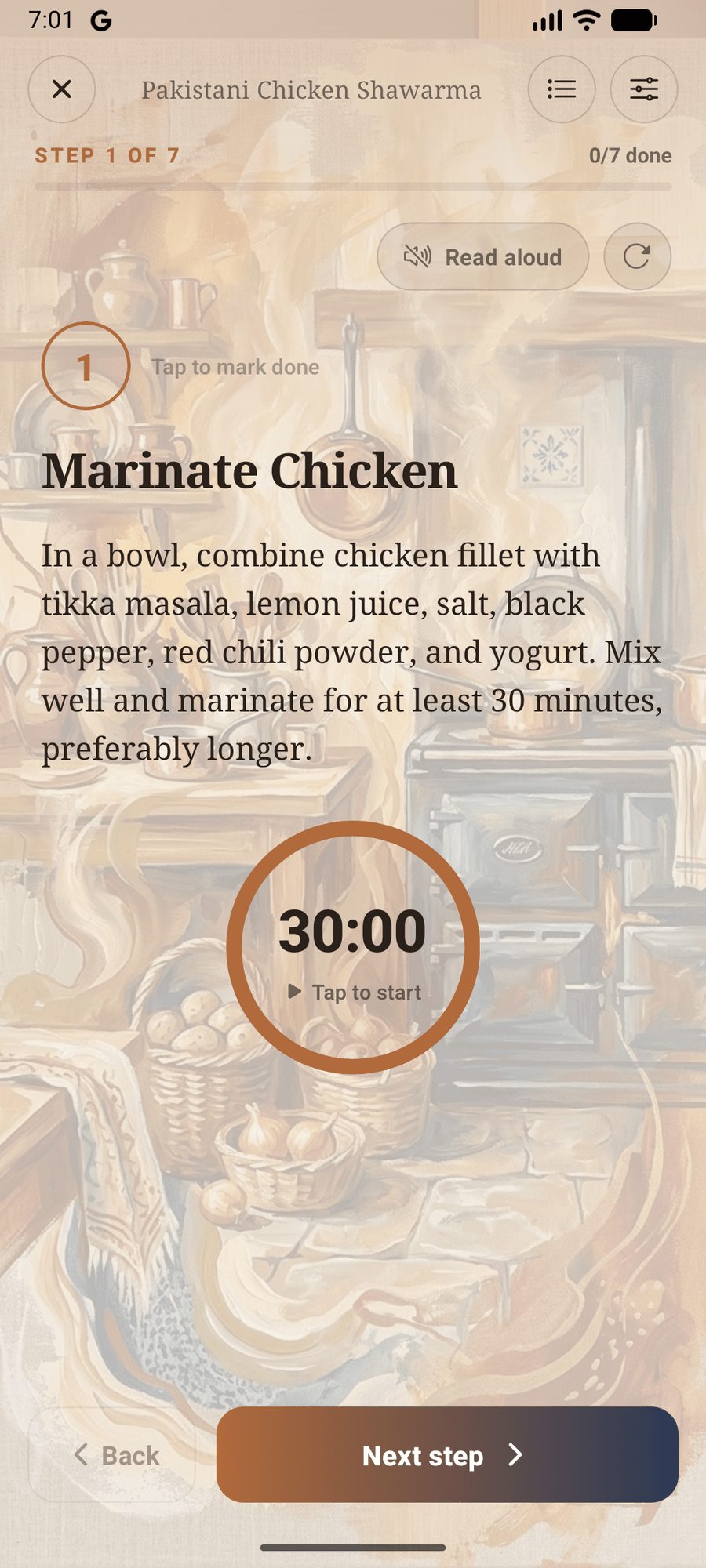
Serves two? Serves twenty?
One tap rescales the whole recipe with cook-proof fractions - and the aisle-grouped grocery list follows. No math in the kitchen, none in the cart.
A sous-chef, built in
Cook Mode reads each step aloud, runs the timers, and advances hands-free while the screen stays awake. It even works with the Wi-Fi off.

Styled, saved, shared
Seven painterly wallpaper themes, unlimited saved recipes, and exports that match the screen exactly - a crisp PNG for your story or a print-ready PDF for the fridge door.
TikTok & Instagram
Any public recipe video from the world's biggest platforms - read completely. Every ingredient with exact amounts, every step in order, nothing summarised away.
Serves two? Serves twenty?
One tap rescales the whole recipe with cook-proof fractions - and the aisle-grouped grocery list follows. No math in the kitchen, none in the cart.
A sous-chef, built in
Cook Mode reads each step aloud, runs the timers, and advances hands-free while the screen stays awake. It even works with the Wi-Fi off.
Styled, saved, shared
Seven painterly wallpaper themes, unlimited saved recipes, and exports that match the screen exactly - a crisp PNG for your story or a print-ready PDF for the fridge door.
TikTok & Instagram
Any public recipe video from the world's biggest platforms - read completely. Every ingredient with exact amounts, every step in order, nothing summarised away.
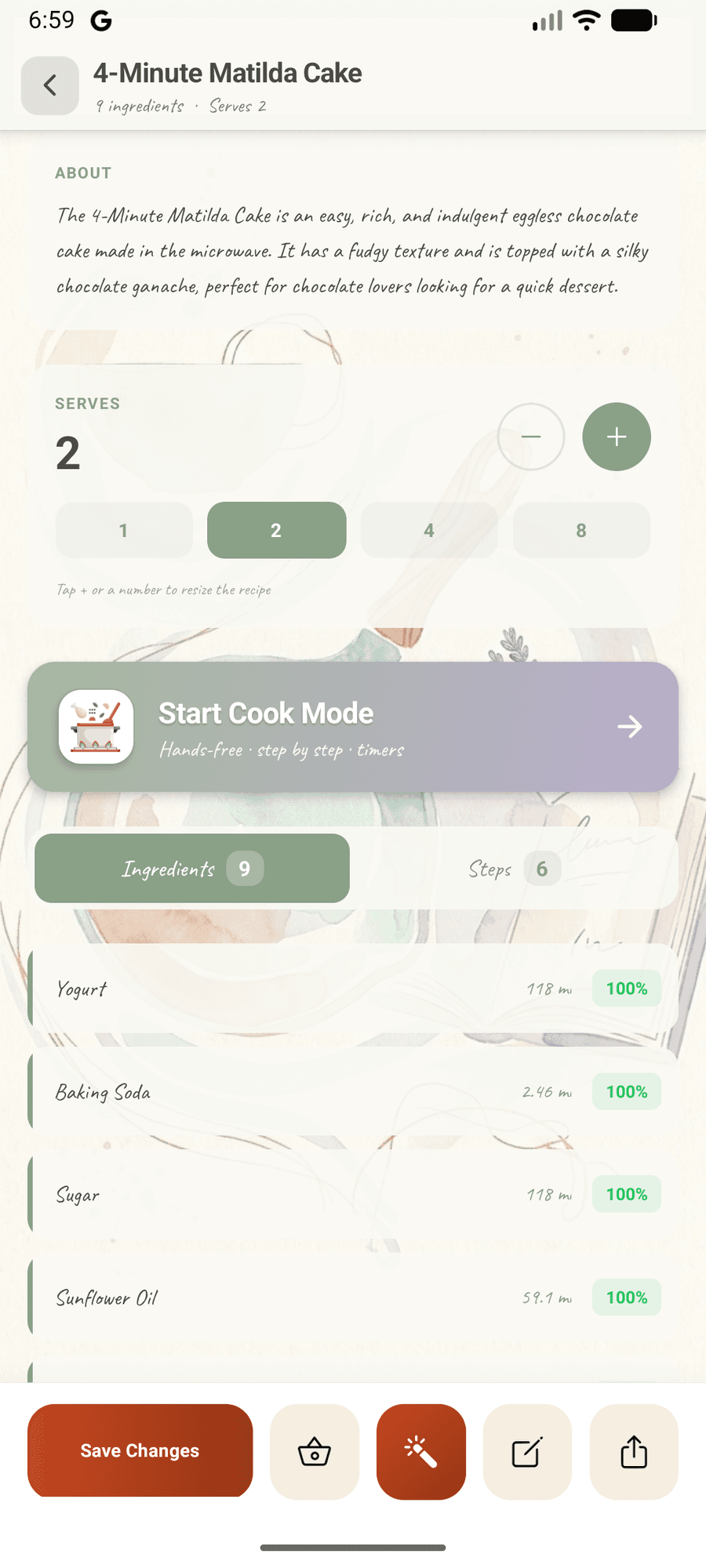
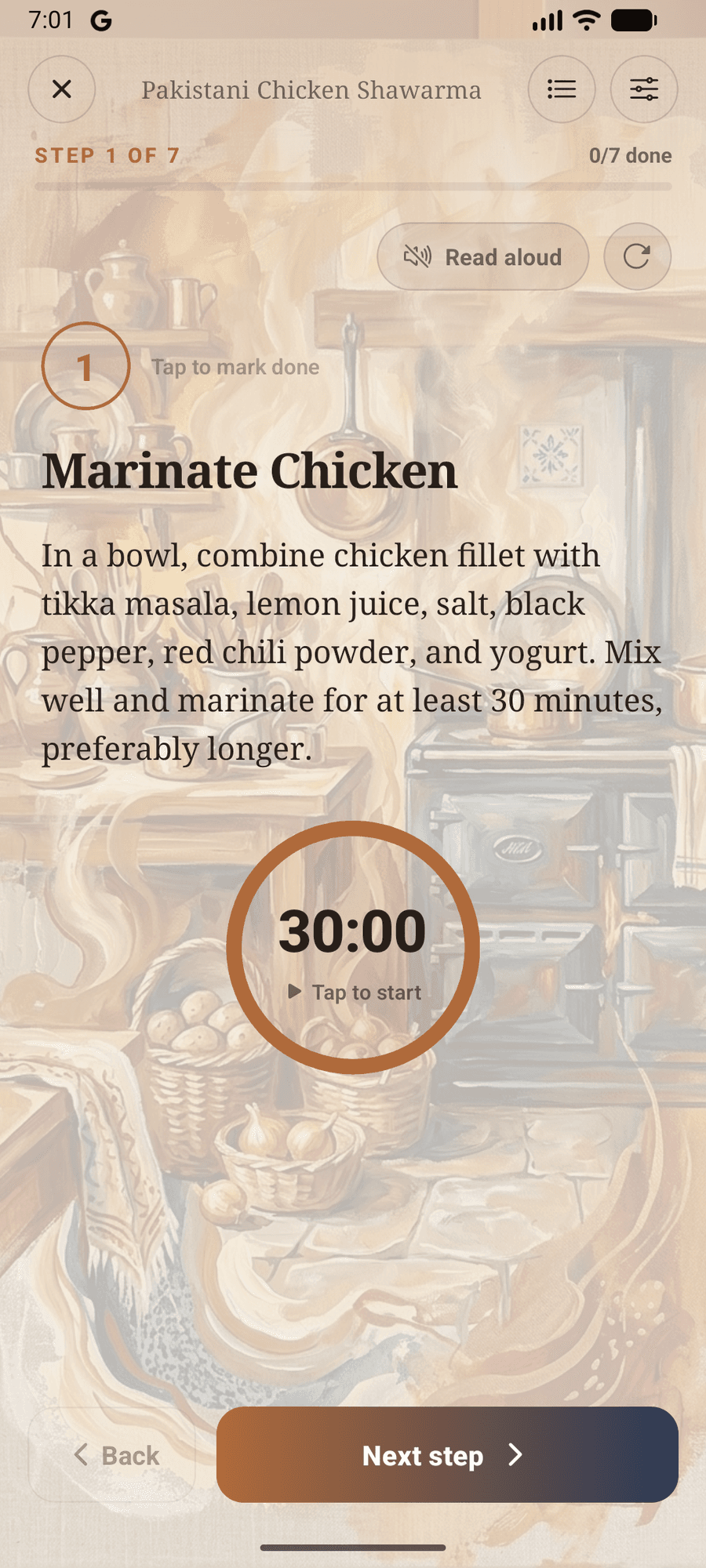
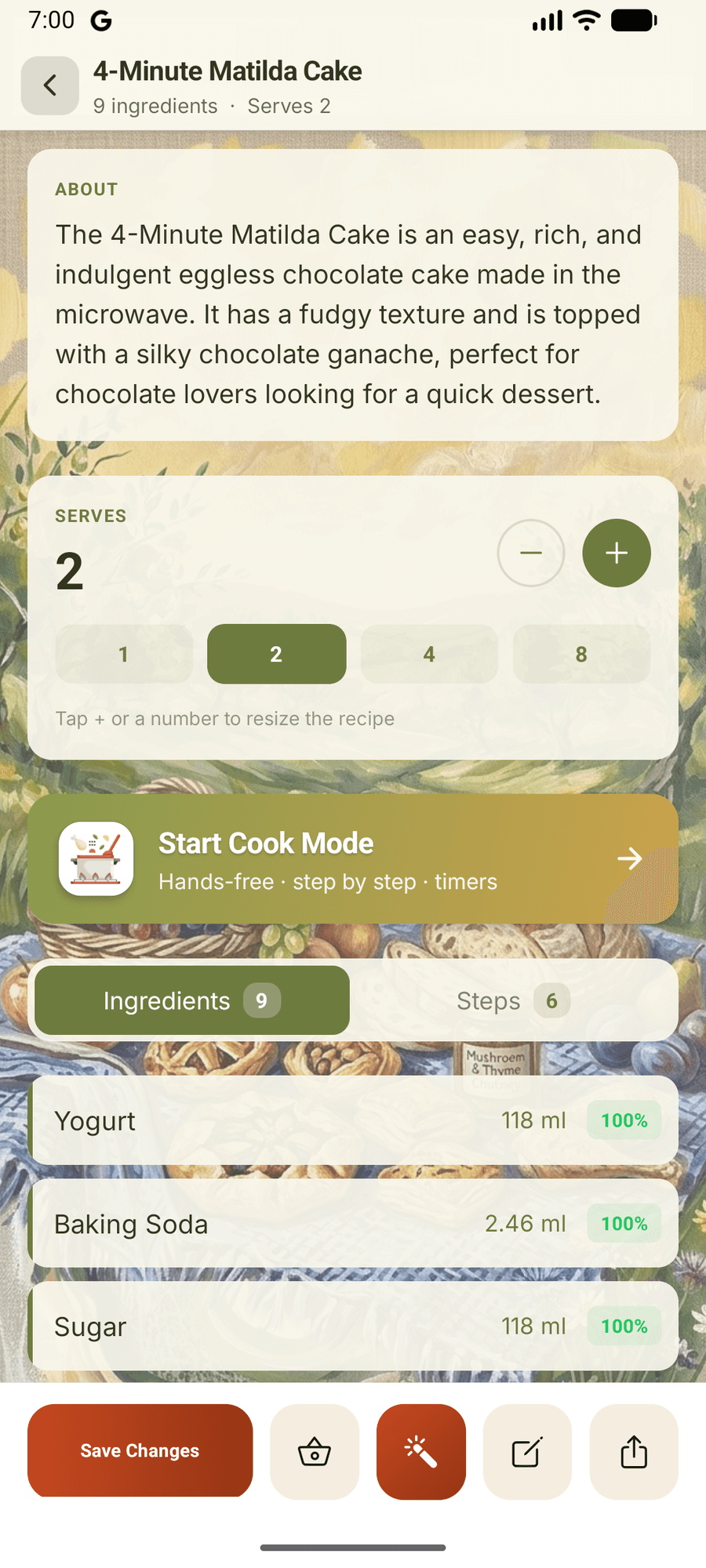
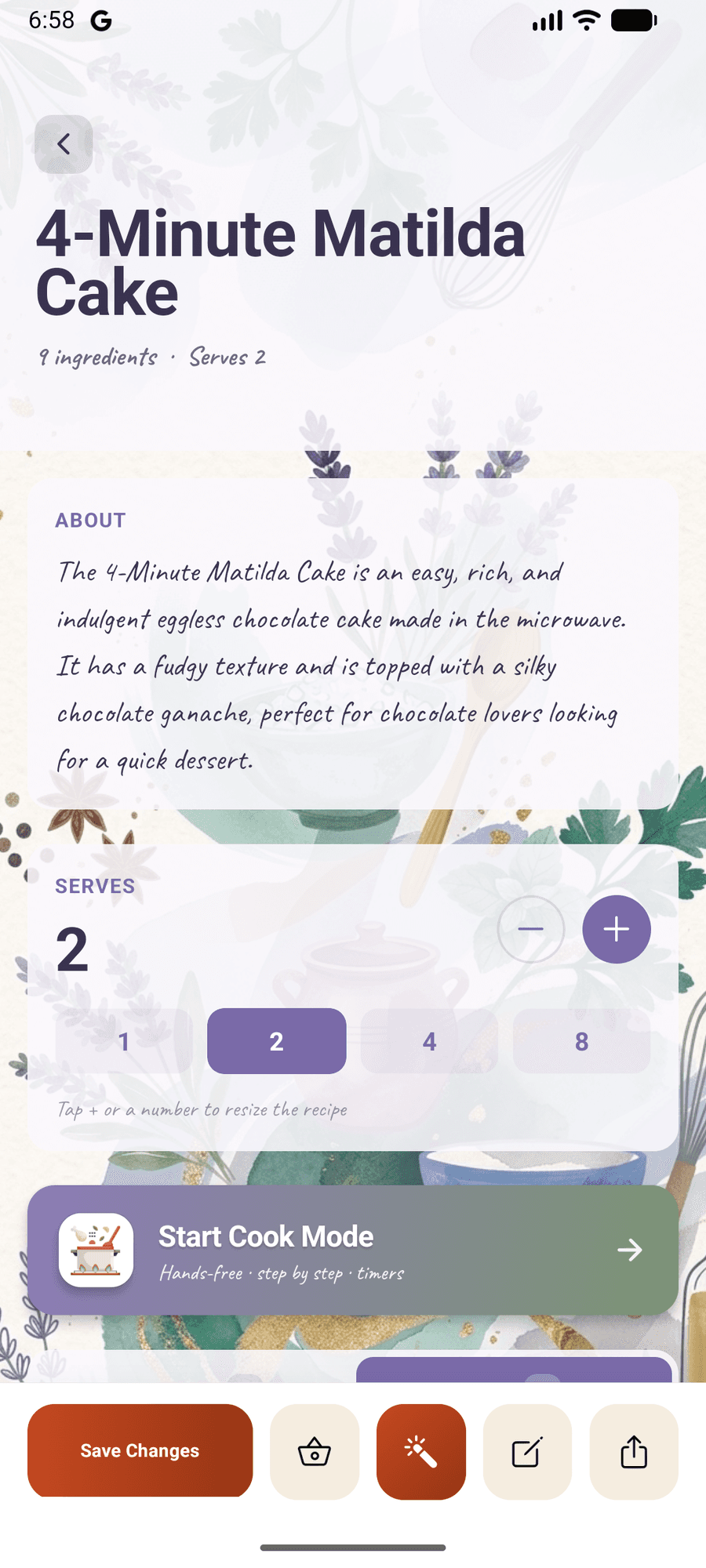
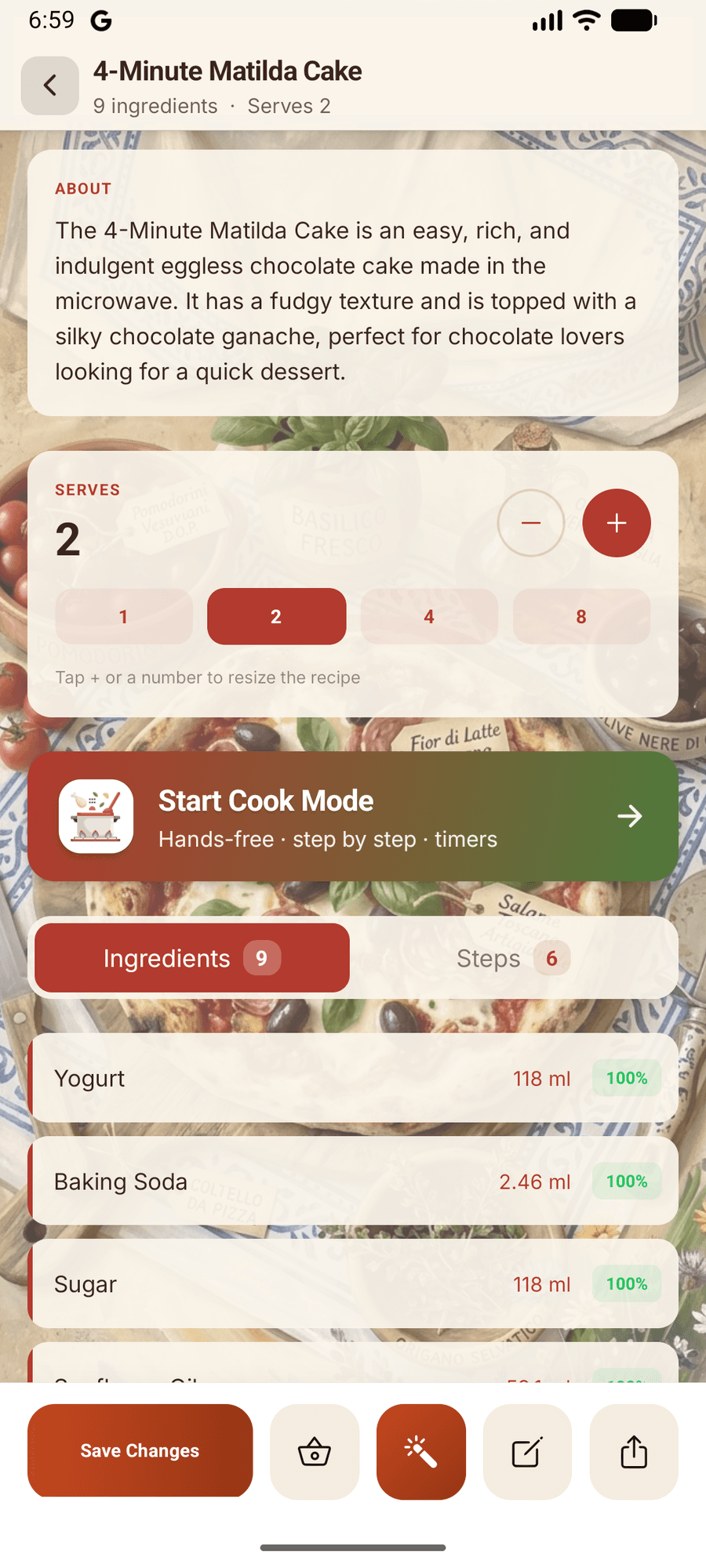
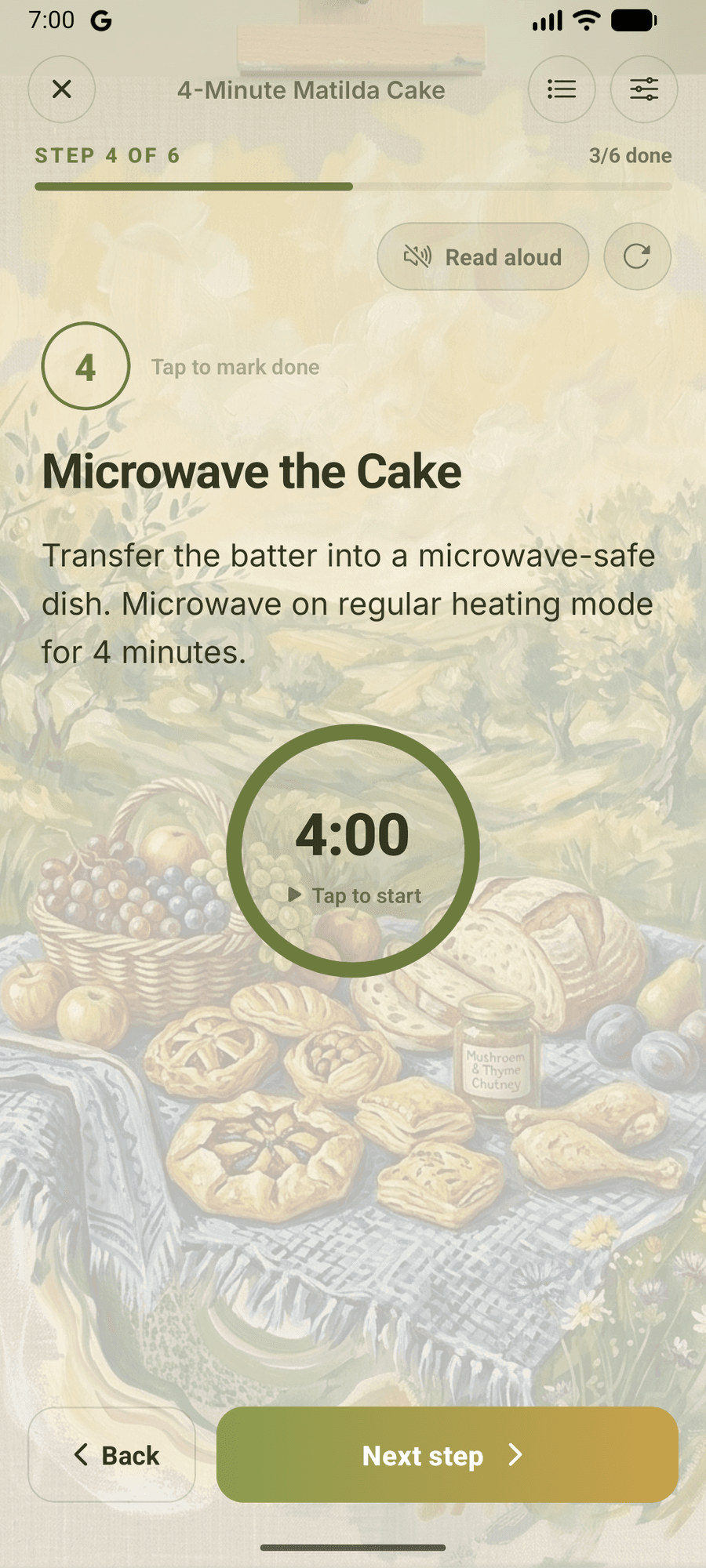
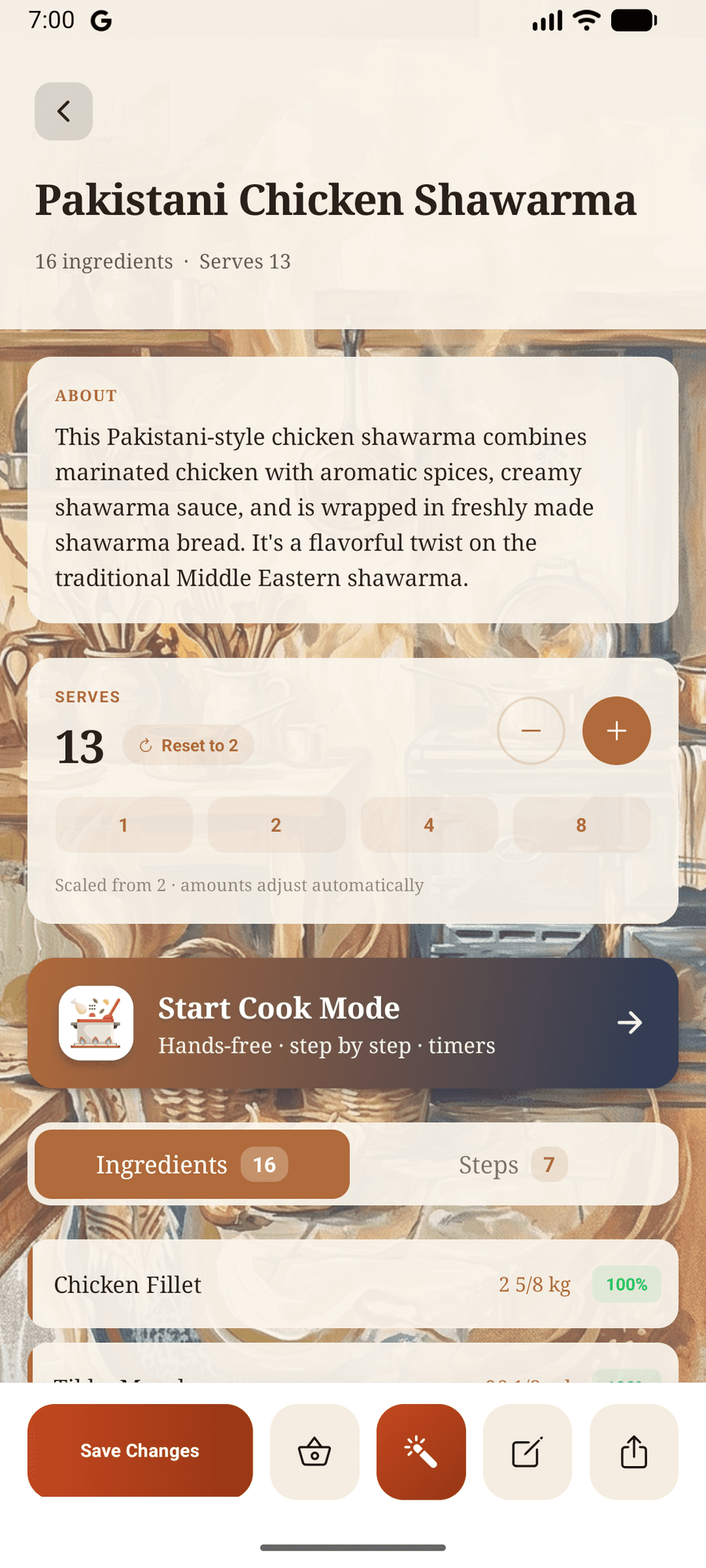
One recipe. Seven moods.
Hands covered in flour?
Keep going.
A dark, glare-proof canvas built for the counter. Your recipe reads itself aloud, times itself, and turns its own pages - so your hands never leave the food.
It reads every step aloud
An on-device neural voice narrates each step and highlights the words as it speaks - nothing to download, and it reads to you even with the Wi-Fi off.
Fold the ganache through until it turns glossy.
Timers live inside the step
“Marinate 30 minutes” arrives as a ring you start with one tap. It keeps honest time while your hands stay in the bowl.
It turns its own pages
Hands-free mode moves to the next step when the narration or the timer finishes. Say nothing. Touch nothing. Keep cooking.
It remembers every cook
Finish a session and the recipe logs it. Cook #7 on your butter chicken is a small badge - and a real habit.
Cooking for two? Or twenty?
The list writes itself.
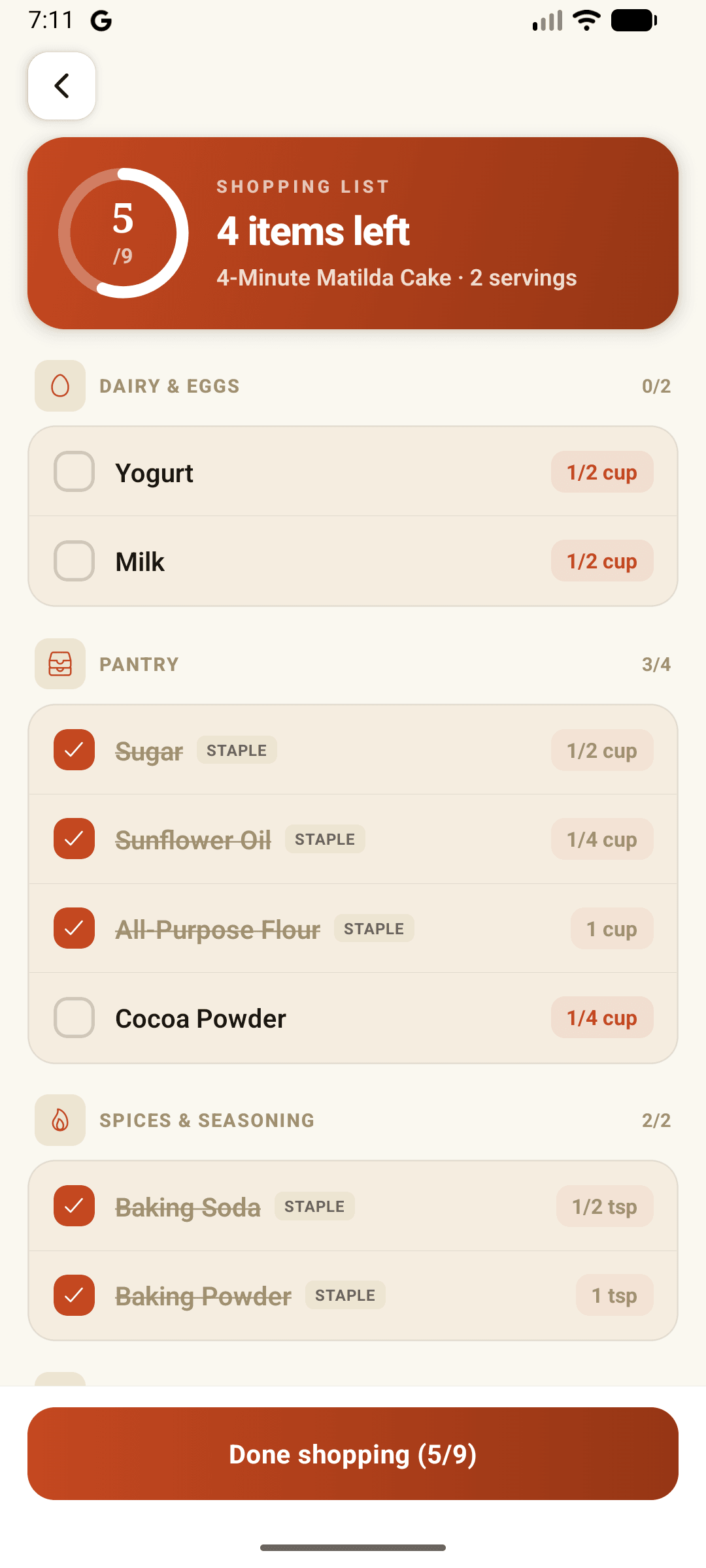
Tap the basket on any recipe, choose your ingredients, and they land in a shopping list that already knows its way around the store.
Grouped by aisle
Produce sits with produce, dairy with dairy. The list reads the way the store is laid out, so you walk it once.
Scaled and merged
Quantities follow the serving size you picked, and 2 cloves + 1 clove quietly becomes 3. No duplicates, no math in the cart.
Staples already ticked
Salt, oil and water arrive pre-checked - visible so you can double-check the cupboard, never nagging you to buy them.
Pay once. Cook forever.
- Never expires
- Save unlimited recipes
- All platforms supported
- Never expires
- Save unlimited recipes
- All platforms supported
- Never expires
- Save unlimited recipes
- All platforms supported
Everything, explained.
Which platforms does YourSaveur support?+
TikTok and Instagram. Any public video with a recipe in it.
Does it work on every video?+
If the video shows or describes a recipe, YourSaveur can extract it. Clear cooking videos work best: the AI reads on-screen text, captions, and spoken steps. A music-only montage with no recipe information is the only thing it can't help with.
What exactly does a "scan" give me?+
One scan turns a single video into a complete, structured recipe: every ingredient with exact measurements, every step in order, plus a short summary. No ads, no autoplay, no endless scrolling.
Do my scans expire?+
Never. Buy a pack once and use your scans whenever you like. There's no monthly reset and no expiry date.
Is my payment information safe?+
Yes. Every payment is processed securely through Stripe. We never see or store your card details.
Can I save recipes and come back to them?+
Every recipe you scan is saved to your personal collection automatically. Browse, search, and cook from it anytime, even offline.
Is there a free tier?+
Yes. Every new account gets 3 free scans to try YourSaveur, with no credit card required.
Does Cook Mode need the internet?+
No. The narration voice runs right on your phone, so Cook Mode reads steps aloud, runs timers, and advances hands-free entirely offline - nothing to download, nothing to wait for.
Do themes change my exports too?+
Yes. Pick a wallpaper, a font, a layout - and the exact same look is reproduced on the in-app recipe, the shareable PNG card, and the print-ready PDF. They can't drift apart.
Can I resize a recipe for more people?+
Any recipe scales from 1 to 50 servings instantly, offline, with cook-friendly math: measures snap to proper fractions like 1 1/2 cup, whole eggs stay whole, and “to taste” stays “to taste”.
Does the grocery list use up scans?+
No. Groceries is entirely free. Send any recipe's ingredients to an aisle-grouped shopping list, check items off as you shop, and mark the trip done - no scans, no paywall.
Stop pausing. Start cooking.
Turn your next saved video into a recipe in seconds. 3 free scans on us.